Draw with a pen
Sketch an arrow, underline a label or circle a detail during a design review or walkthrough.
Draw, highlight and box areas on a shared screen without installing software. One presenter and up to three viewers can mark the same shared view.
Free · No account · Presenter controls viewer drawingPick a tool and drag on the example below. This demo stays in your tab. Start a sharing room to draw with other people.
0 marks · This example does not share or capture your screen.
Sketch an arrow, underline a label or circle a detail during a design review or walkthrough.
Use a translucent stroke to emphasize a line or region while keeping the shared content visible.
Draw a rectangle around a chart, button or section so viewers know exactly where to look.
Choose Share my screen, then Choose a screen. Pick a screen, window or browser tab in the browser’s source picker.
Copy the invitation and send it to one person or up to three. Wait until their status says Receiving screen.
Select Pen, Highlighter or Rectangle, choose a color, and drag on the shared view. Other participants receive the mark after you release the pointer.
Undo mine removes your own last mark. The presenter can Clear all marks or uncheck Allow viewers to draw. Drawing is paused whenever screen sharing is paused.
Need the full setup steps? Read how to share your screen online.
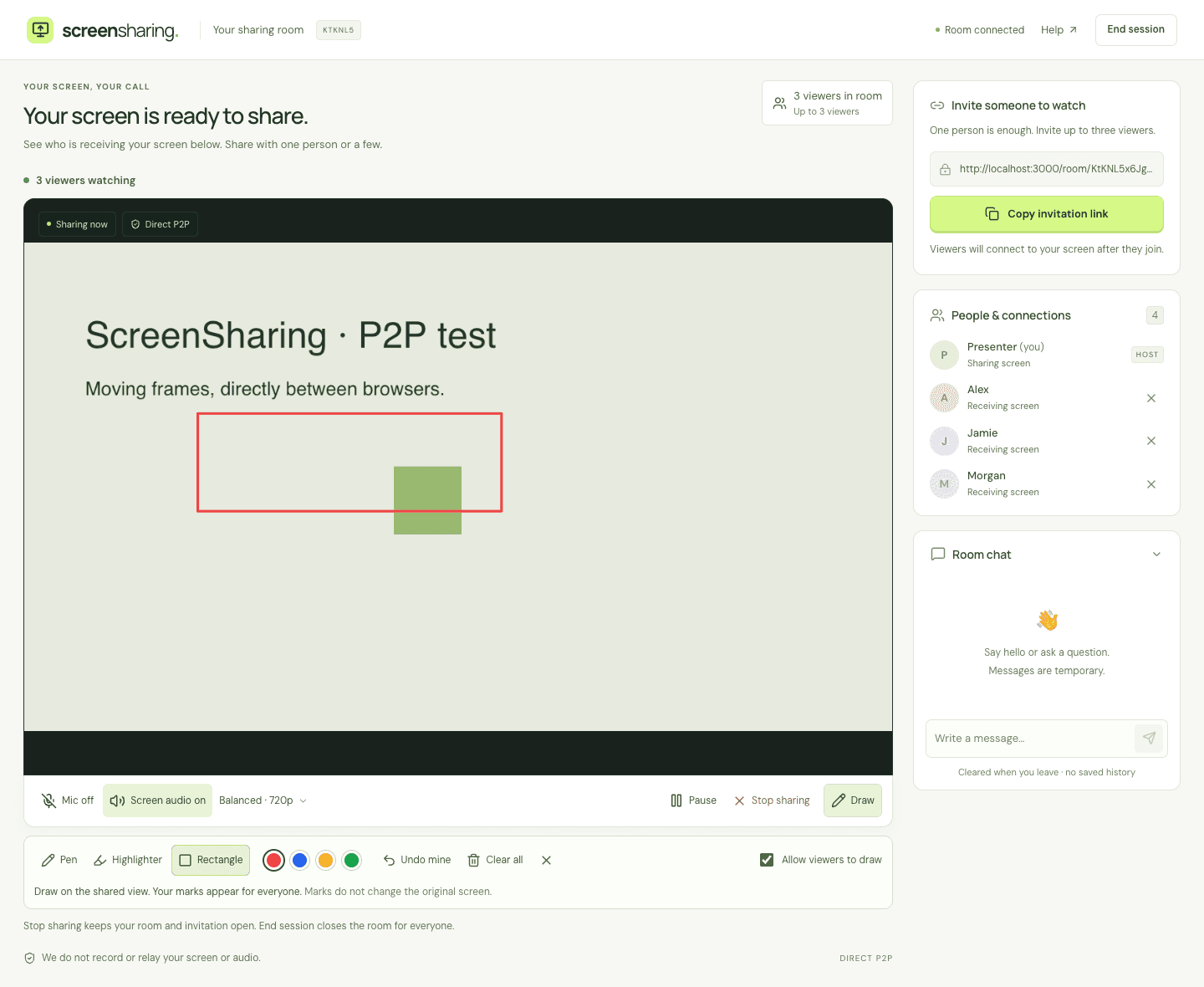
Marks are an overlay on the shared view. They do not edit the source document, click buttons on another device or give viewers remote control.
Positions follow the video frame. If the presenter scrolls or switches content, old marks may no longer point to the same detail. Clear them before marking the new content. The board holds up to 100 marks; stopping the screen clears it.
A viewer reconnecting to the same sharing generation receives the current board. A new screen-sharing generation, including one created after the presenter reconnects, starts with a clean board.
No. The presenter shares from a supported desktop browser, and viewers open the invitation in a WebRTC-capable browser. Touch drawing is implemented for mobile viewers, but real iPhone and Android device compatibility has not yet been verified.
ScreenSharing does not save annotations. Marks are sent through direct browser connections coordinated by the presenter’s browser. Screen and audio also travel directly between participants. Chat passes through the room service. See how ScreenSharing handles your data.
Some networks prevent direct connections. Use Reconnect or try another network. This version does not relay media through a server. Visit screen-sharing troubleshooting for more help.